

Reminders & repeat schedules
Some jobs come round again and again: the furnace filter every three months, the recycling every Tuesday. myStuf can remind you on a schedule, with a real notification on your phone. Here are the two ways to set one up.
You'll need: the myStuf app, signed in, with notifications allowed for myStuf in your phone's settings. The first part uses a Home Inventory (see Build a home inventory).
Home maintenance that repeats
-
Log the job and pick how often
Open your home, go to the Maintenance tab and tap + Add Maintenance Entry. Tap a suggestion such as HVAC Filter, or type your own, and fill in the date and cost.
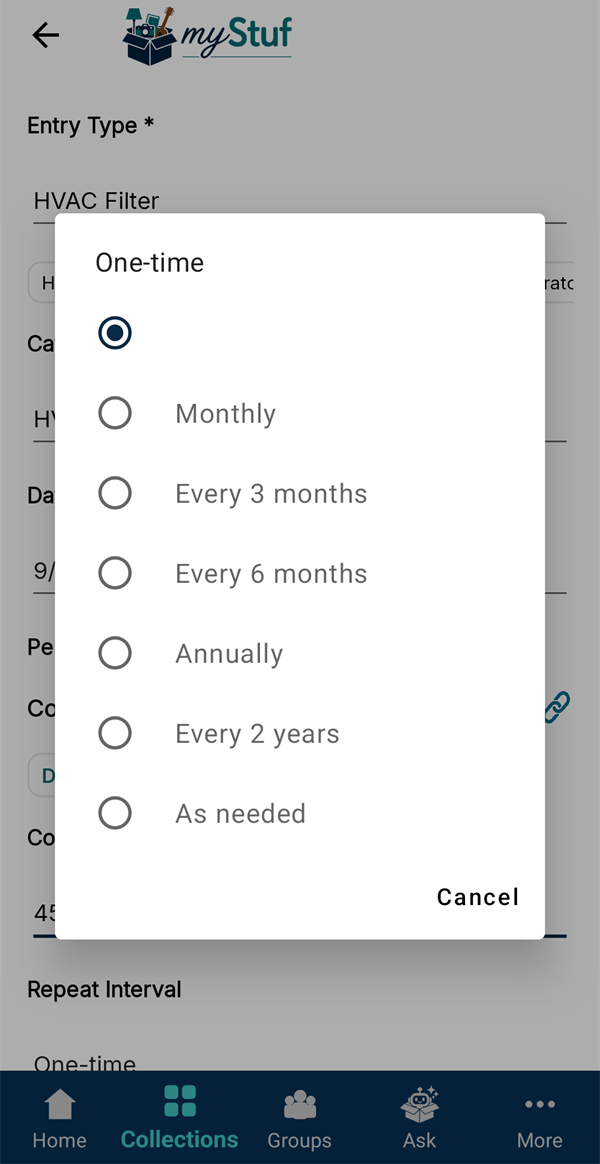
Under Repeat Interval, choose how often it comes round, from Monthly to Every 2 years.
-
Turn on the next-due reminder
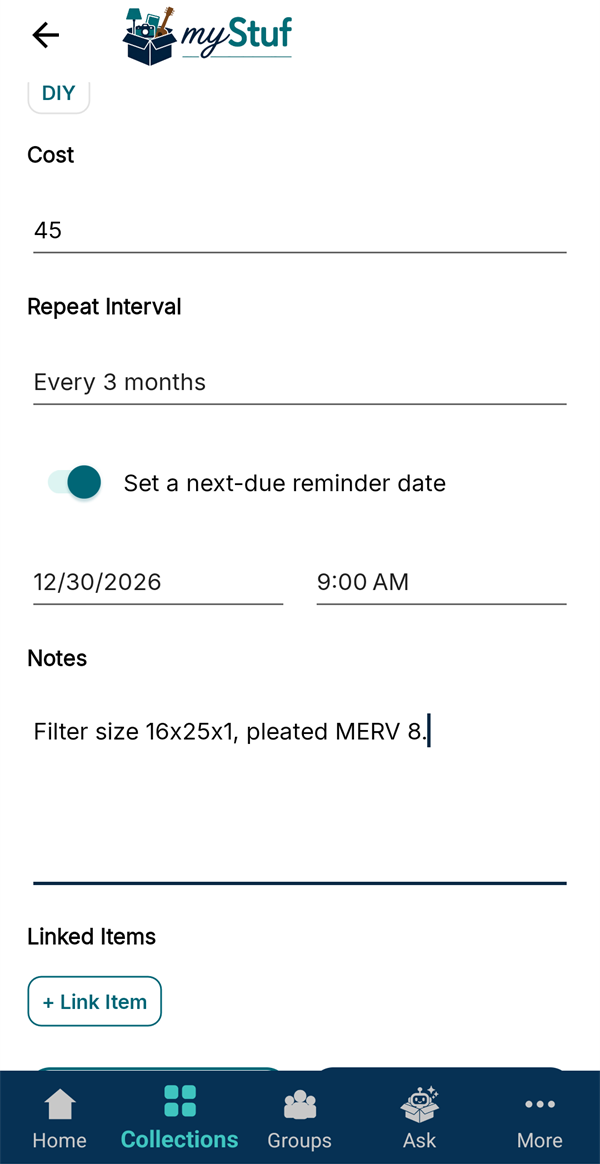
Switch on Set a next-due reminder date. myStuf suggests the date from your repeat interval; change the date or time if you like. Use Notes for anything you'll need next time, like the filter size.
-
Save, and see when it's due
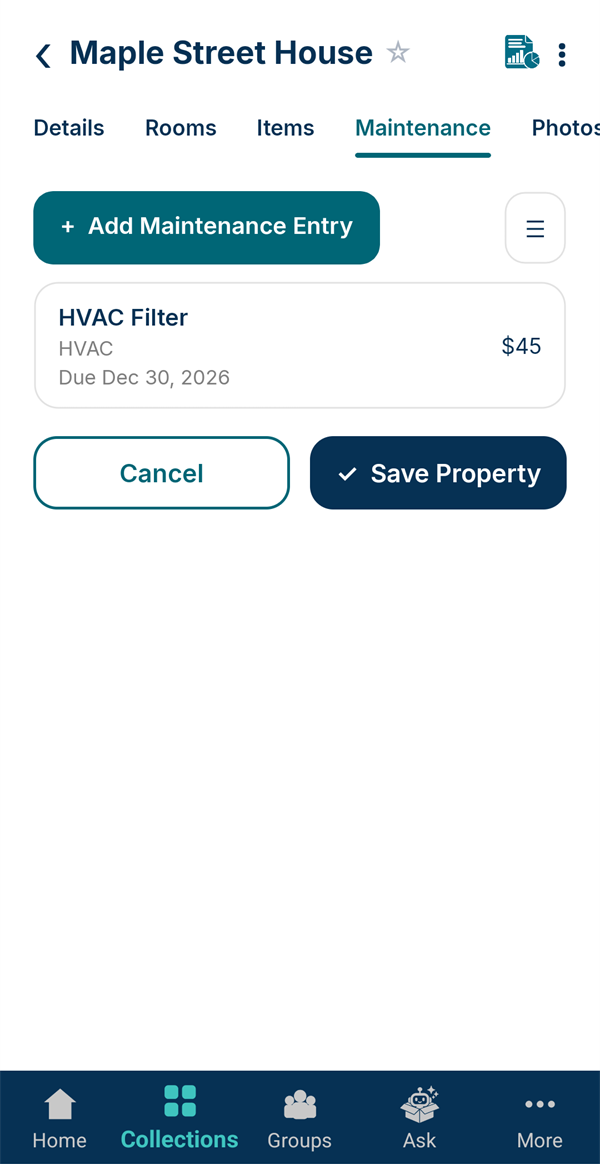
Tap Save. The Maintenance tab shows each job with its next due date, and you'll get a notification on the day.
-
Everything due, across every home
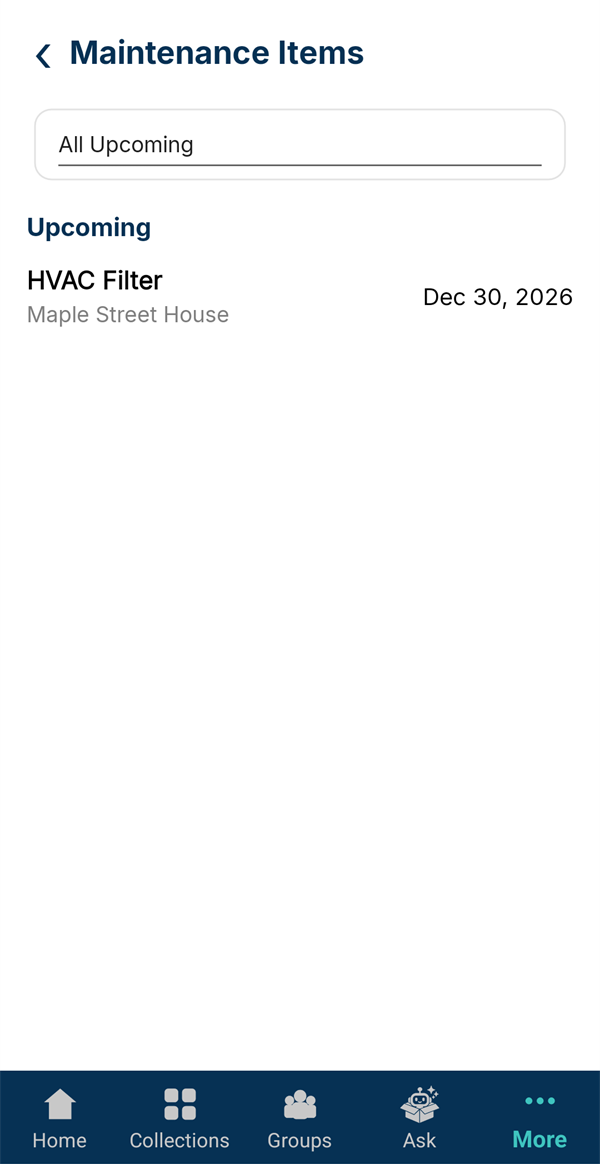
More → Maintenance Items lists what's due across all your homes and vehicles. Tap the setting at the top to look ahead 7 days, 30 days, or at everything upcoming.
Everyday reminders that repeat
-
Choose a repeat schedule
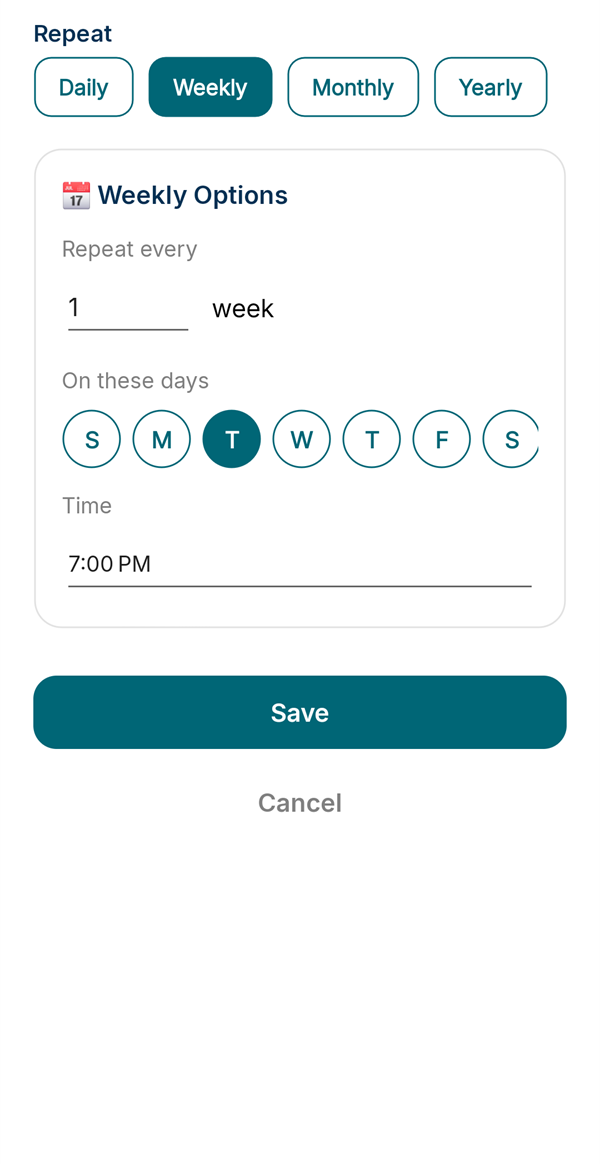
Create a reminder (for example in Quick Reminders, see tutorial 2), switch on Reminder, then tap Repeat.
Pick Daily, Weekly, Monthly or Yearly. For weekly, choose the days and the time. Tap Save.
-
It keeps coming back
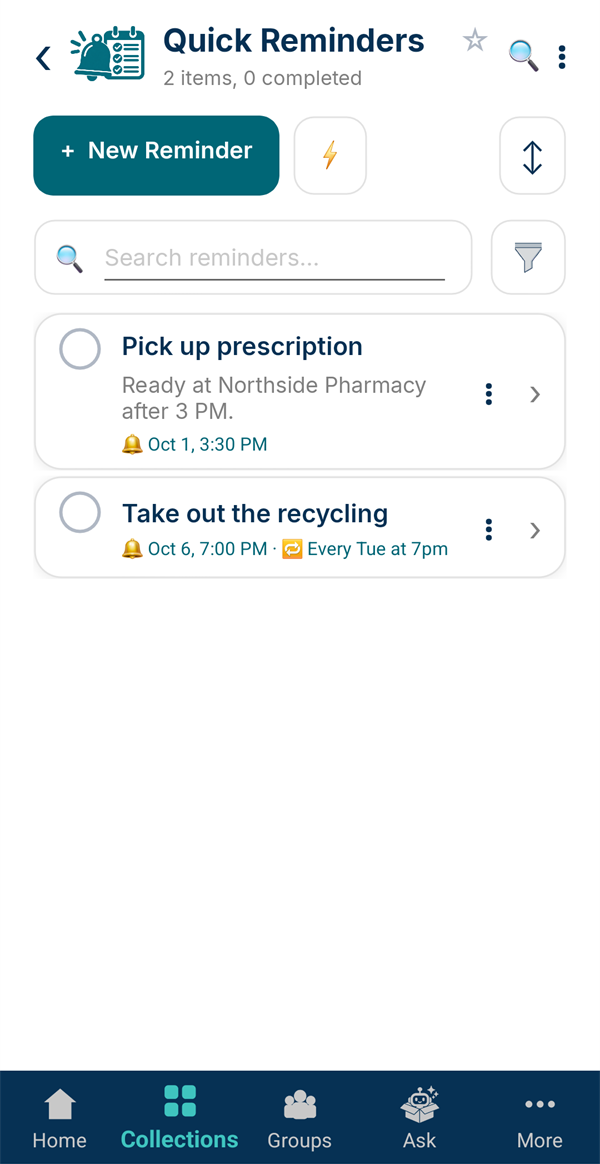
The reminder shows its next time and its schedule, like "Every Tue at 7pm". View next 10 reminder times on the reminder lets you check the pattern is right.
That's the basics. Back to all tutorials, or see the myStuf in Action page for bigger ideas.