Quick Notes, Checklist & Reminders
Not everything needs its own collection. Every account comes with three Quick collections for the small stuff: a gift idea, a to-do, a reminder to pick something up. They're always one tap from Home.
You'll need: the myStuf app, signed in. Works on every plan.
-
Find the Quick buttons
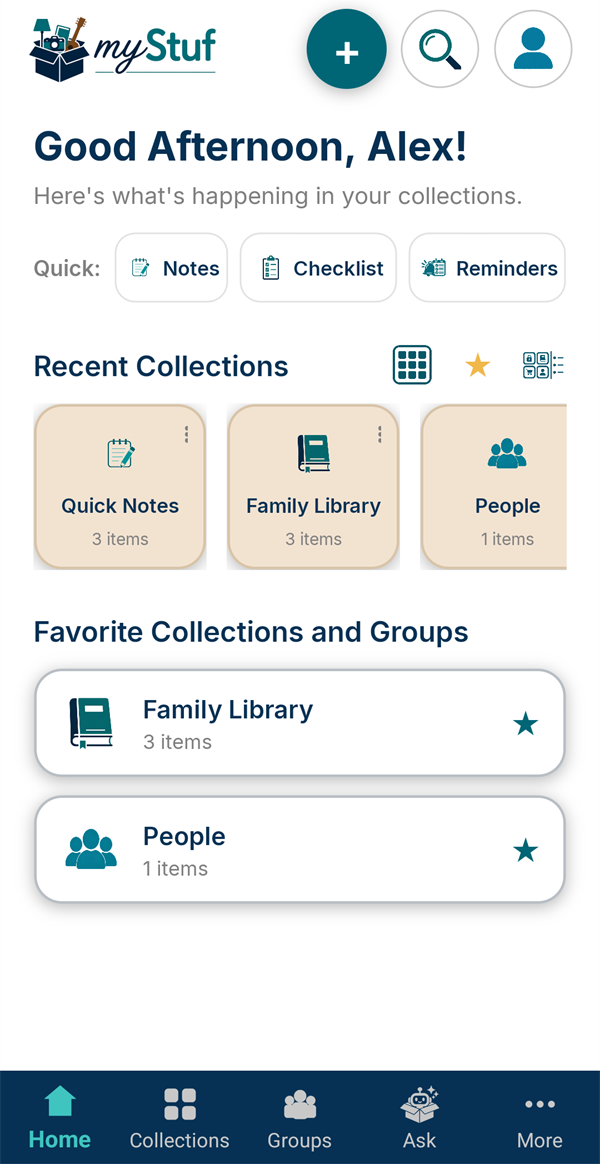
On Home, just under the greeting, the Quick: row has Notes, Checklist and Reminders. Each one opens its collection.
-
Jot a note
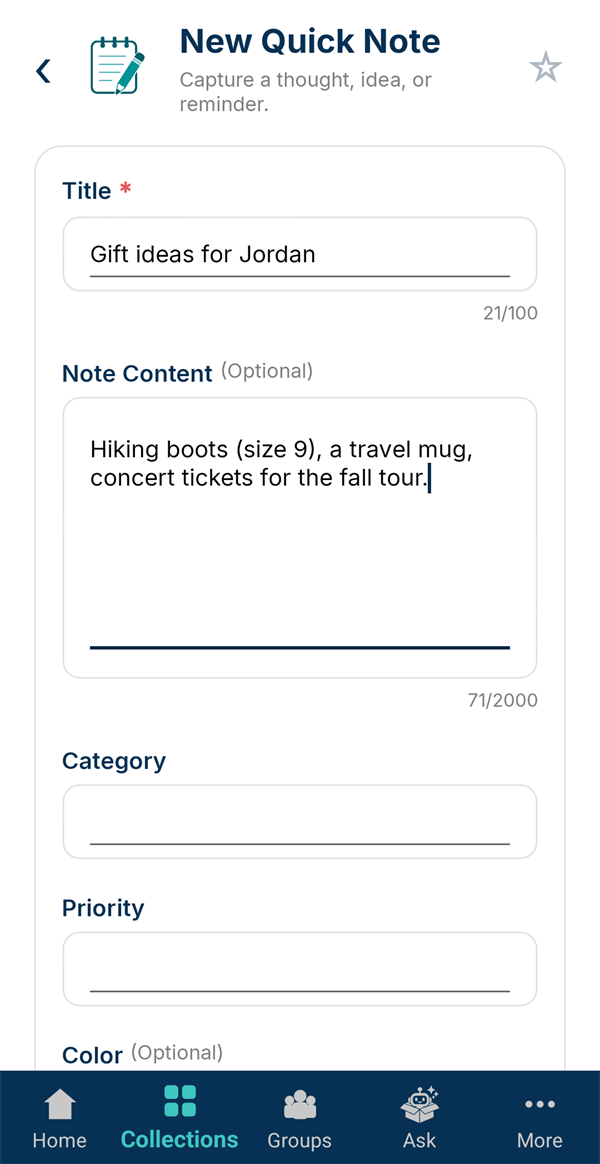
Tap Notes, then + New Note. Give it a Title and write whatever you need under Note Content.
Scroll down for extras: a category, priority and color, a reminder date, photos, or a voice recording. Then tap Save Note.
-
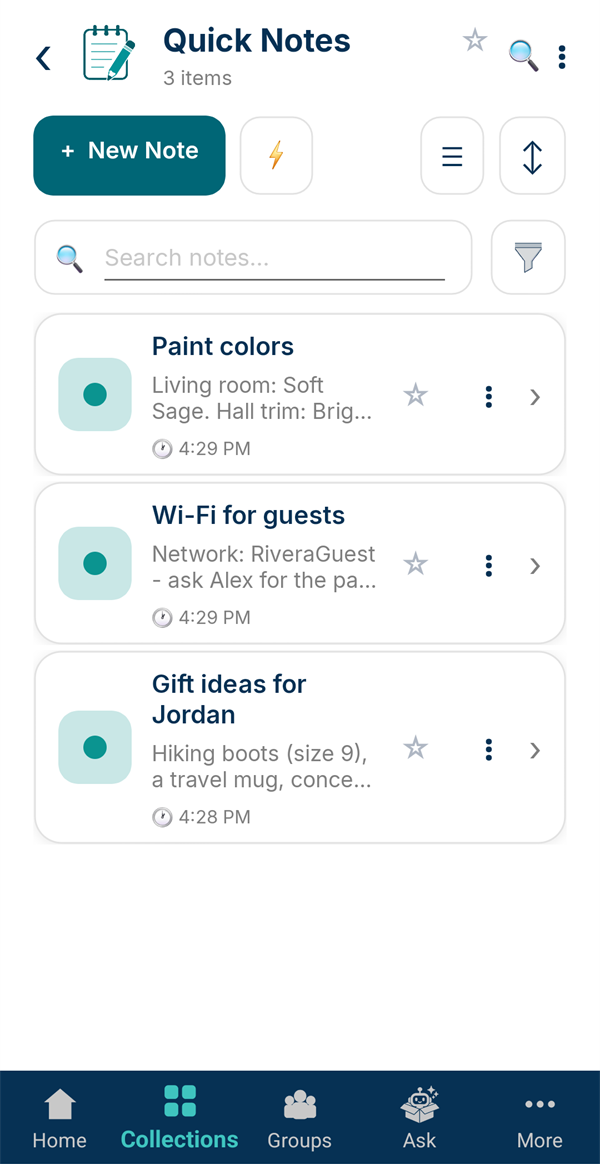
Your notes, newest first
Each note shows its first lines and when you wrote it. Use Search notes to find one later, or tap a note to edit it.
-
Add to your checklist
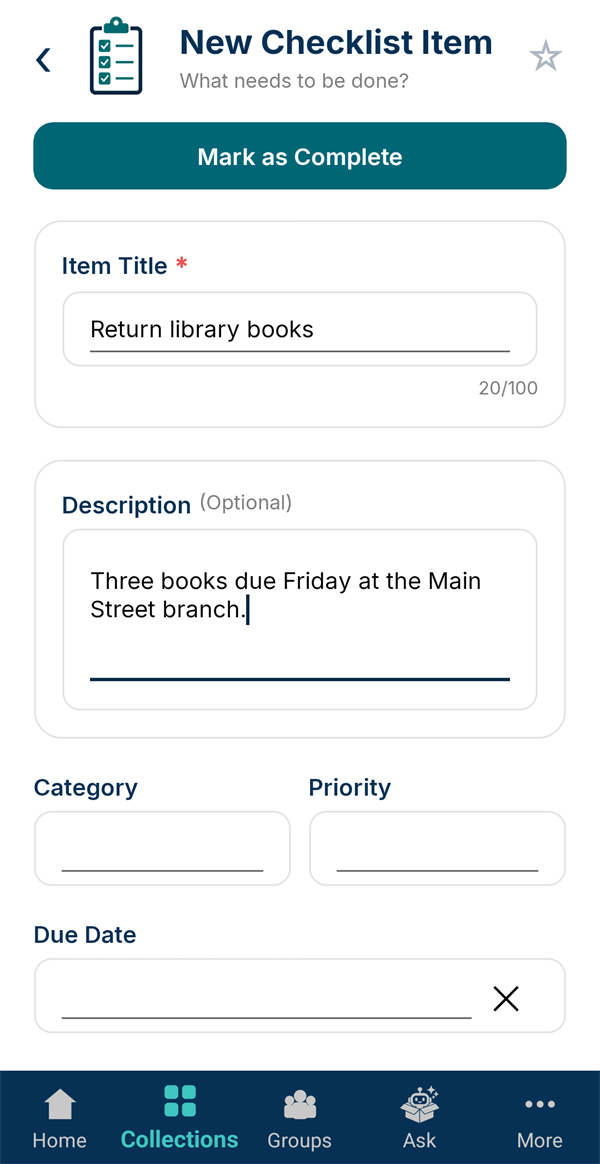
Back on Home, tap Checklist, then + New Item. Type what needs doing and, if you like, a description, category, priority or Due Date. Tap Save Item.
-
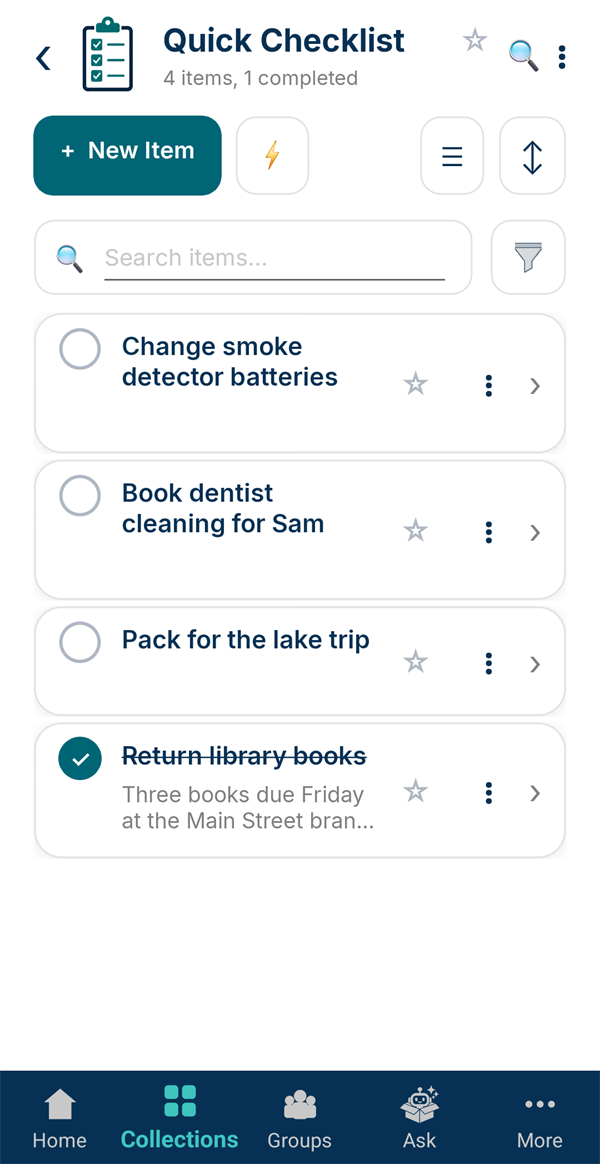
Tick things off
Tap the circle beside an item when it's done. The count at the top keeps track, like "4 items, 1 completed".
Checklist items with a due date also appear under More → Checklist Items with Due Date.
-
Set a reminder
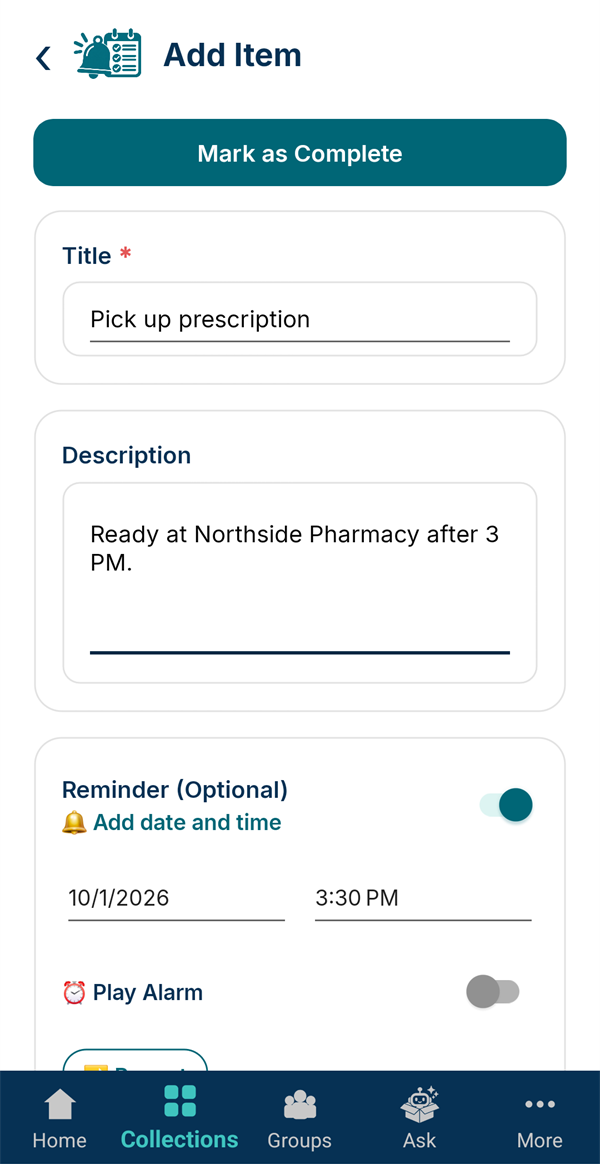
Tap Reminders on Home, then + New Reminder. Give it a title, then switch on Reminder and pick the date and time.
Your phone gets a real notification at that time, even with myStuf closed. Turn on Play Alarm to have it ring. Tap Save.
-
See what's coming up
When a reminder is close, Home shows a banner like "1 Reminder(s) due soon", and Recent Collections keeps your Quick lists close at hand.
Want a reminder that comes back every week? See Reminders & repeat schedules.