
Doctors & care locations
Enter each doctor and each clinic once, in a Physicians and a Care Locations collection. After that you just pick them: on a person's care team, and on every visit you record. Their phone numbers are always one tap away, and a visit never has to be typed out in full again.
You'll need: the myStuf app, signed in, and the person in People (see Set up your people).
-
Create the collections
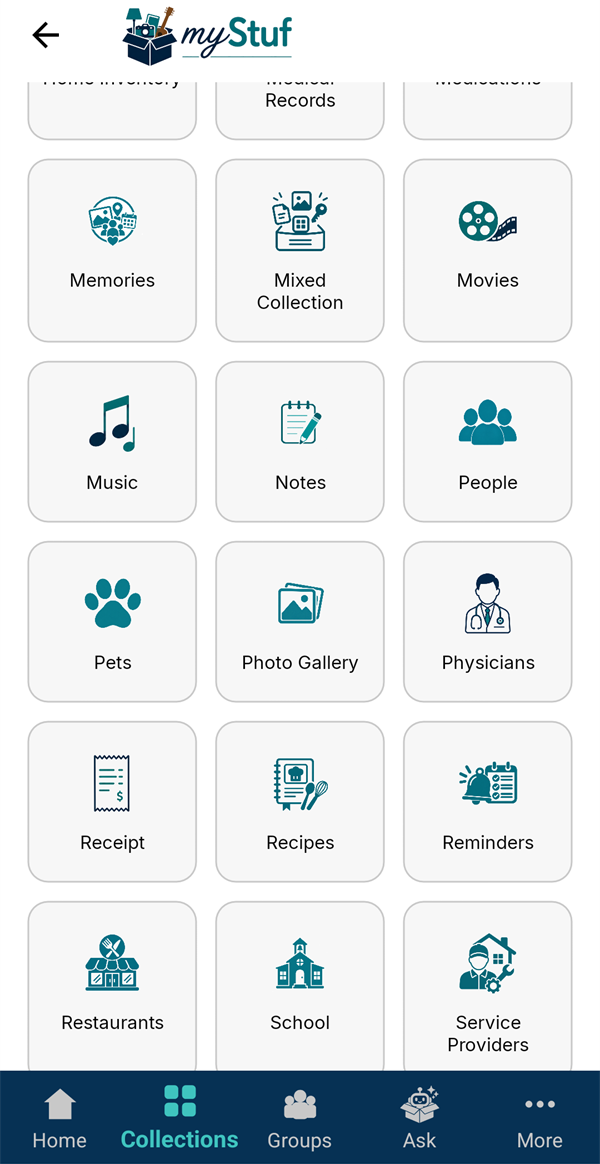
Go to Collections → + New Collection and make a Physicians collection (for example "Family Doctors"). Then make a Care Locations one ("Clinics and Hospitals") and a Medical Records one ("Family Medical Records").
-
Add a doctor
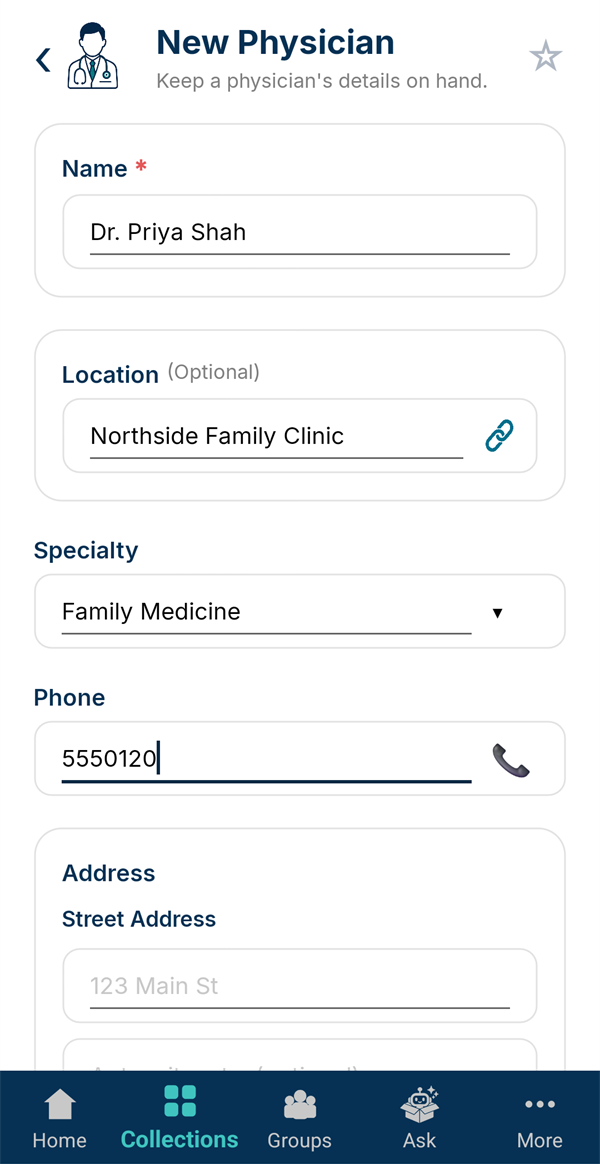
In Physicians, tap + New Physician. Enter their Name, where they practice, their Specialty and Phone, and tap Save Physician.
-
Add a care location
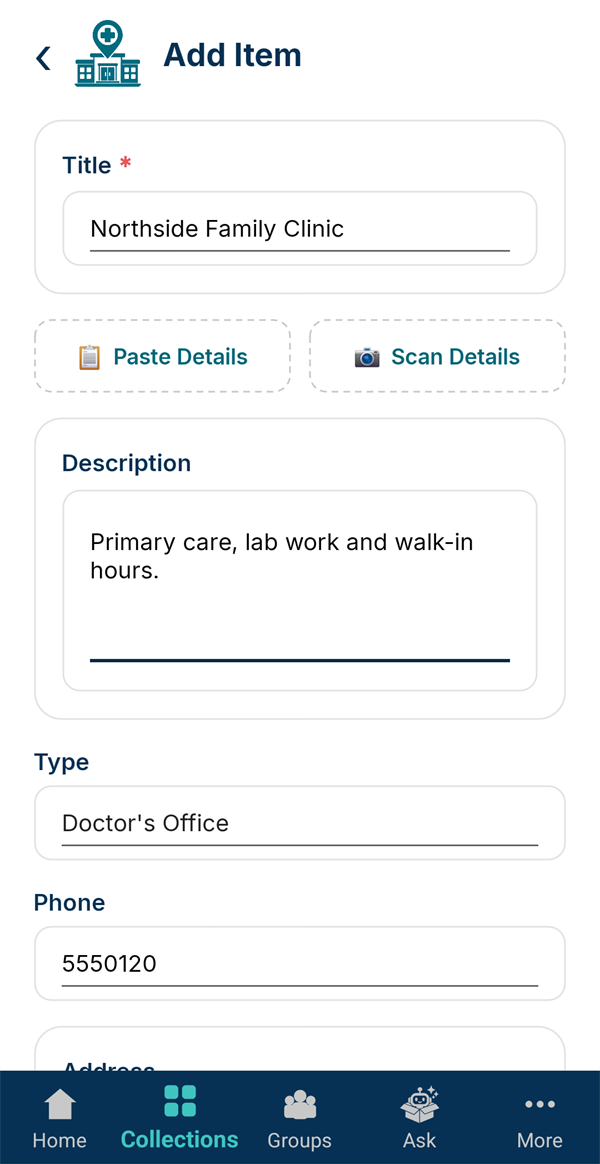
In Care Locations, tap + New Location. Enter the clinic, hospital, pharmacy or lab, pick its Type and add the phone and address.
Paste Details fills the form from copied text, and Scan Details from a photo of a card or sign.
-
Start a medical record
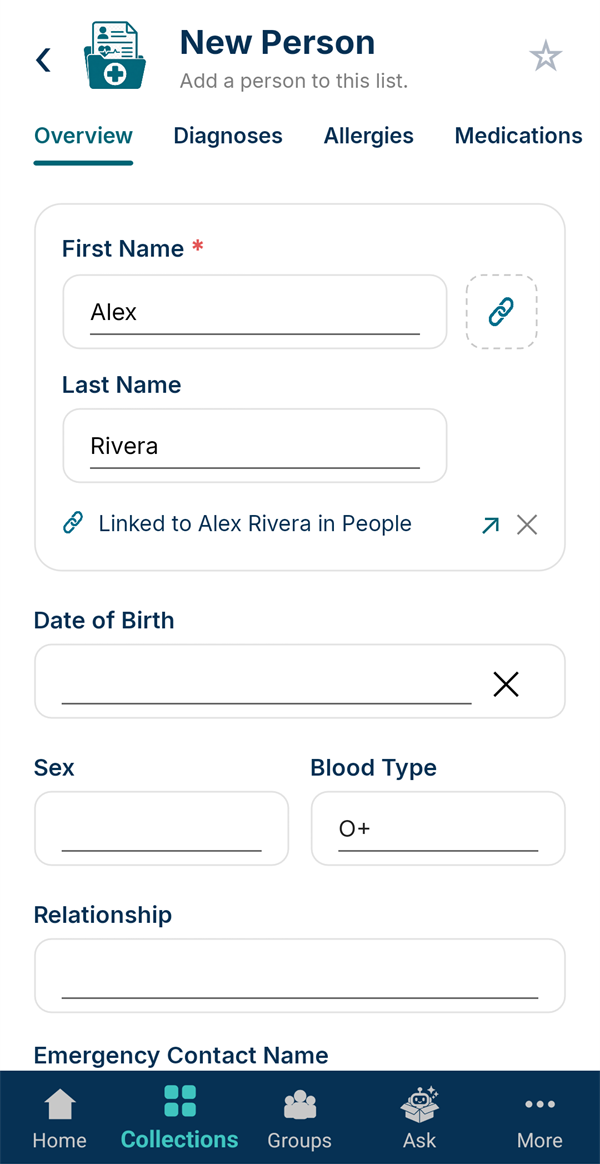
In Medical Records, tap + New Person. Tap the link icon beside the name and pick the person from People. The record is now tied to them, and shows on their page and emergency card.
Add their blood type, allergies and anything else useful.
-
Build their care team
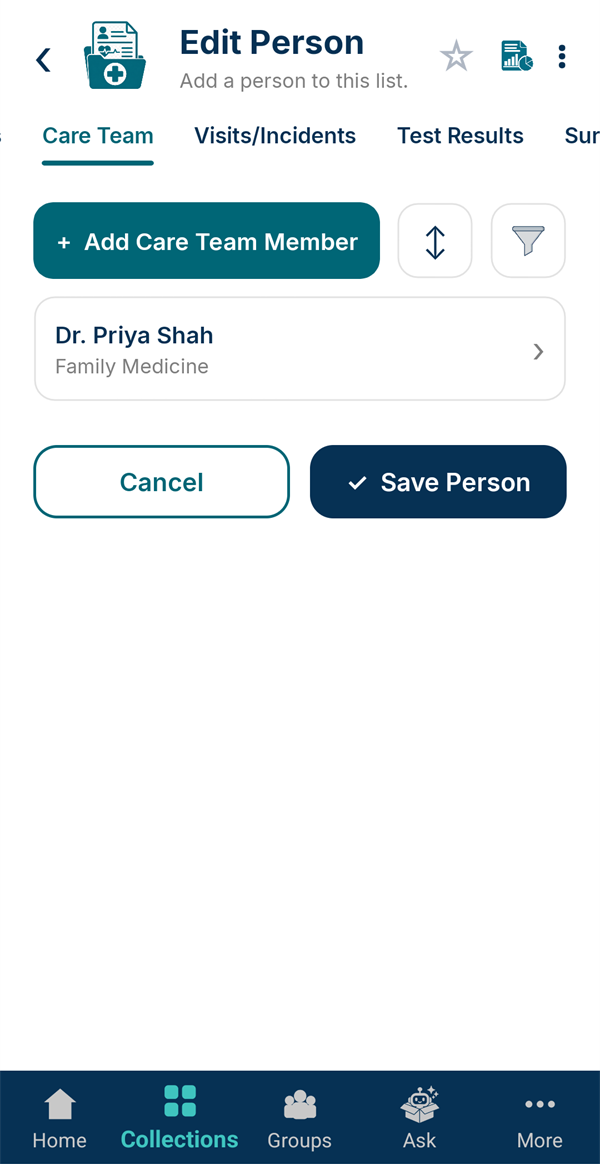
On the record's Care Team tab, tap + Add Care Team Member, then Link Existing Physician and pick the doctor. Their specialty and phone come with them.
-
Record a visit
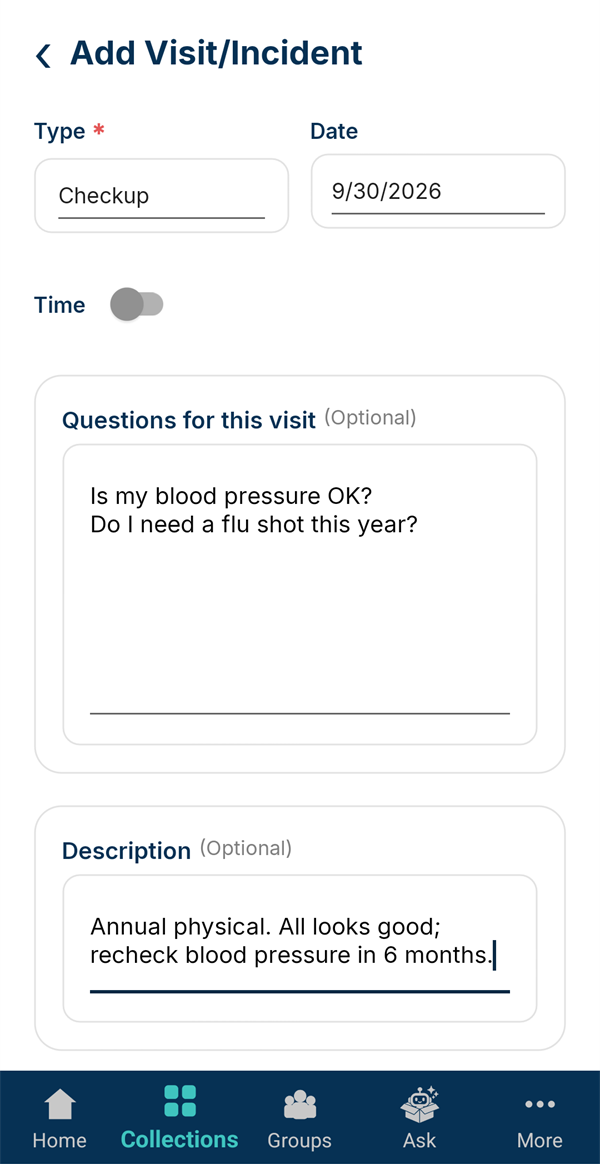
On the Visits/Incidents tab, tap + Add Visit / Incident. Pick the Type (Checkup, Illness, Urgent Care…) and date.
Use Questions for this visit before you go, one per line, then note what happened afterwards.
-
Pick the doctor and the place
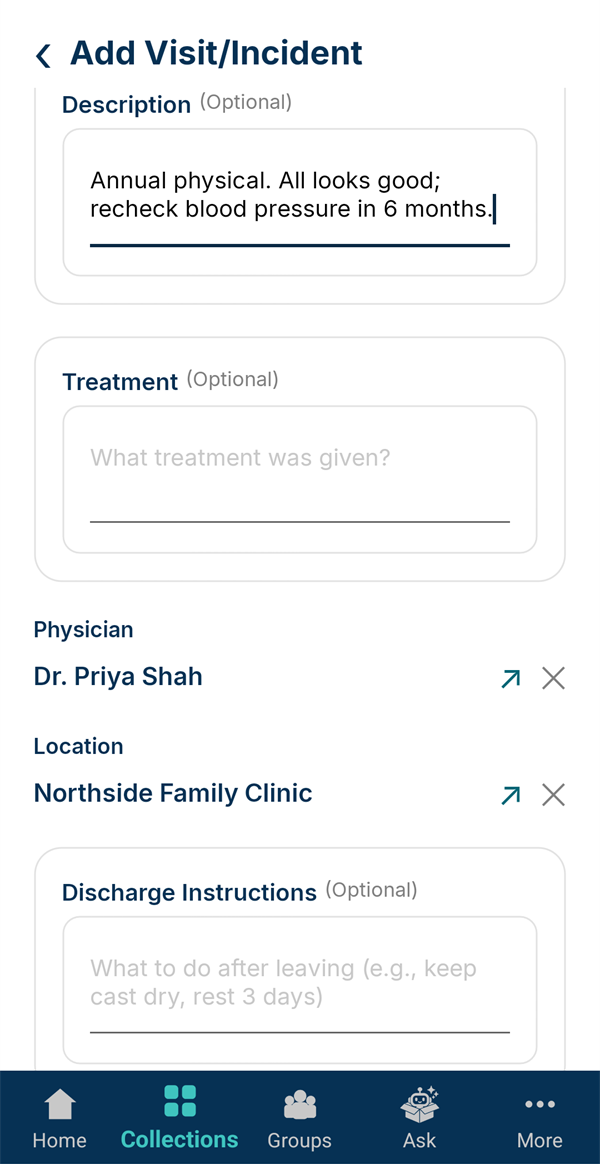
Scroll to Physician and Location and tap each link icon to pick from your lists. No retyping. The ↗ opens that doctor or clinic straight from the visit.
-
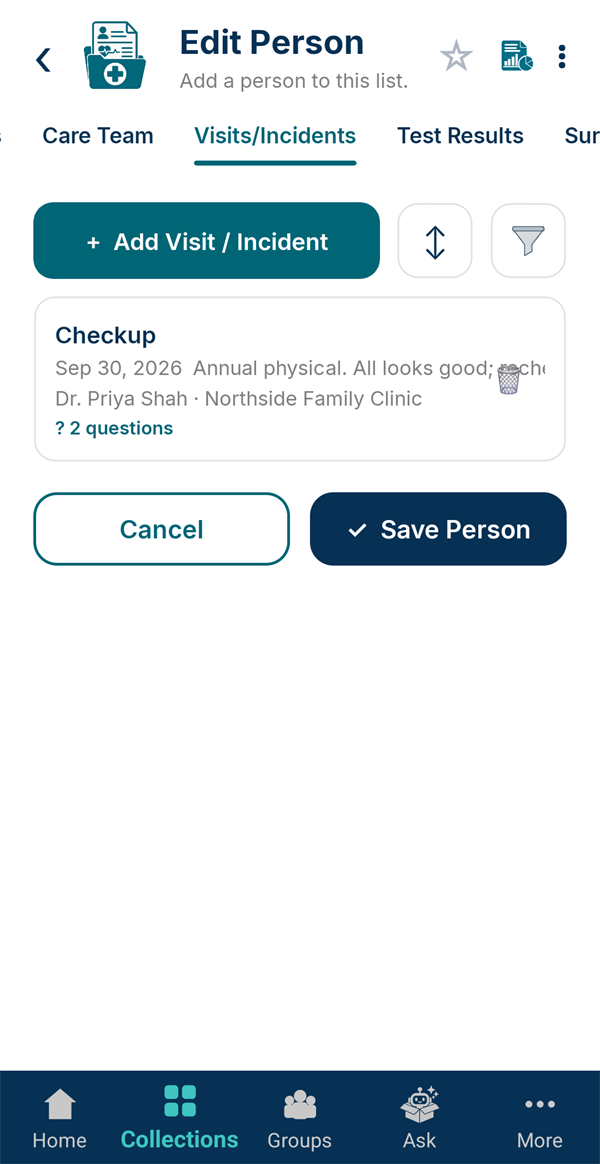
A history at a glance
Save the visit. Each one lists the date, a summary, who was seen and where, and your questions. Over time this becomes the medical history you'd otherwise have to piece together from memory.